Instagram comment to DM automation
“Link?” “Price?” “Send pls.” Someone comments the word you asked for and your link lands in their DMs a few seconds later, with a reply under their comment if you want one.
No credit card. Cancel anytime. Sign in with Google.
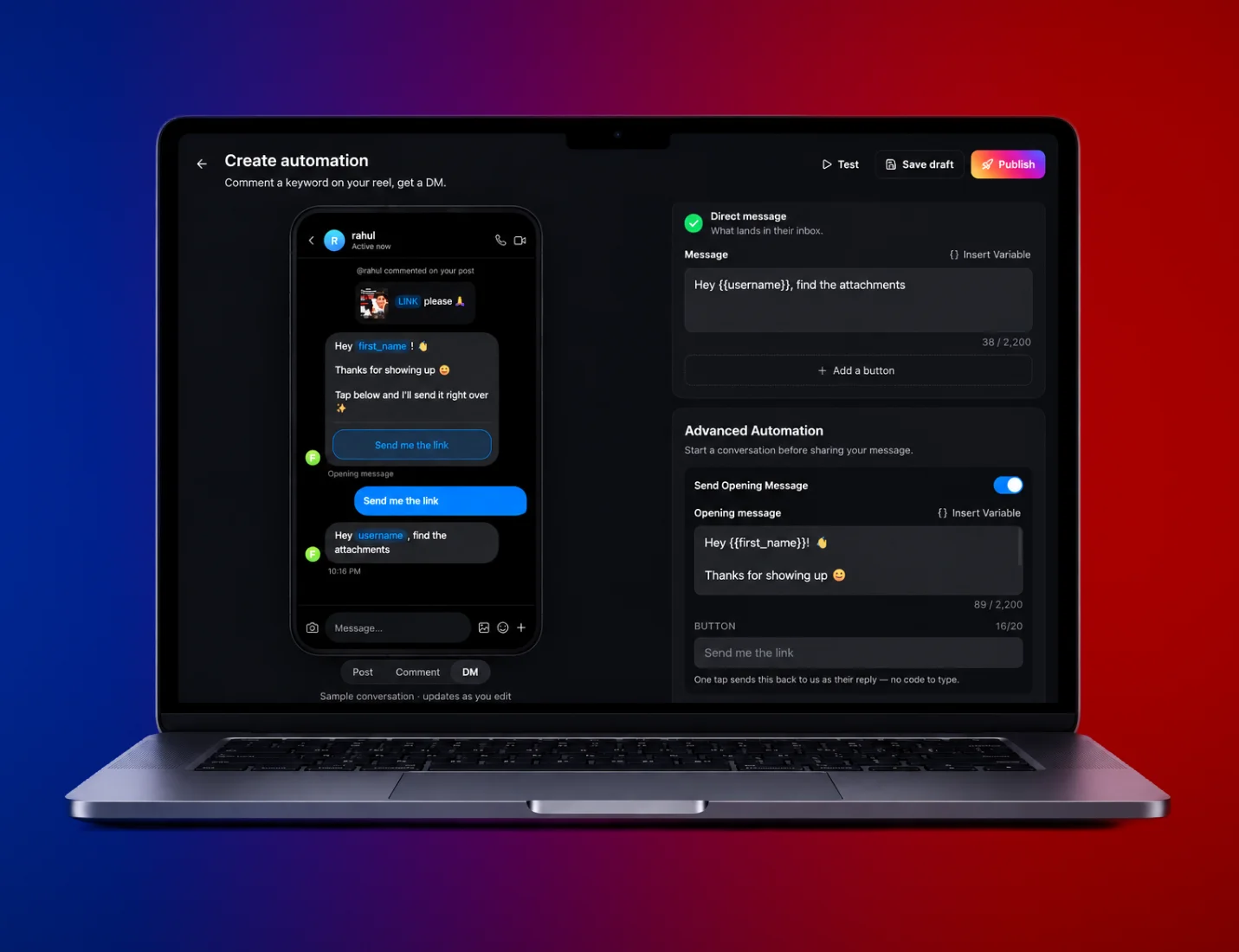
Setting up comment to DM
Connect Instagram
Log in through Meta and allow access. You’ll need a professional account (Creator or Business).
Choose the post and the word
One reel, all your posts, or the next thing you publish. Match a keyword or answer every comment.
Write the DM
Put the link on a button, add a public reply if you like, and switch on the follow gate if it’s for followers only.
What you can set up
Keywords or every comment. Match any keyword, all of them, or the exact phrase. Emoji count as keywords too.
Links on buttons. The link sits on a tappable button instead of a long URL in the message.
Follow gate. Ask people to follow first. Instagram confirms it when they tap.
Different public replies. Write a few versions and each commenter gets one, so it doesn’t look automated.
Next-post mode. Set it up before the reel goes live. It attaches to your next post.
Unlimited on paid plans. Free covers 500 replies a month and 3 automations.
Plans in rupees
Free
₹0 forever
- 2 minutes of transcription
- Watermarked playback to screen-record
- Every caption template
- 500 comment replies, 3 automations
Creator
₹599 per month
- 1.5 hours of transcription a month
- 2.5 hours of 1080p export, no watermark
- Unlimited replies and automations
- Every template, plus 5 of your own fonts
Pro
₹899 per month
- 3 hours of transcription a month
- 4.5 hours of export, up to 4K
- 3 Instagram accounts
- Priority processing, plus 10 of your own fonts
Questions people ask
Still unsure? Write to hello@30fps.in.
Will comment to DM get my Instagram account banned?
No. 30fps works through Instagram’s official API. You connect with Meta’s own login and choose what to allow. It never asks for your password, never scrapes, and never pretends to be you tapping around the app.
Is it free?
The free plan covers 500 comment replies and DMs a month across 3 automations, with no card. Creator (₹599 a month) and Pro (₹899) have no limit on either.
Do I need a business account?
You need a professional account, either Creator or Business. Switching from a personal account is free and takes a minute in Instagram’s settings.
How quickly does the DM go out?
Usually within seconds. Instagram lets each account send 750 of these private replies an hour, so if a reel pulls thousands of comments the DMs queue and go out at that rate. 4,000 commenters takes about five and a half hours.
Can I send the link only to followers?
Yes. Turn on the follow gate. The DM asks them to follow and tap a button, Instagram tells 30fps whether they did, and the link goes once they have.
Does it work for story replies and DMs too?
Yes. An automation can also start when someone replies to your story or sends you a keyword in DMs.
Related
Set up your first automation.
The free plan covers 500 replies a month and needs no card.
No card. No install. Cancel anytime.